
★ Feature ★ Control Room ★
Operator Admin
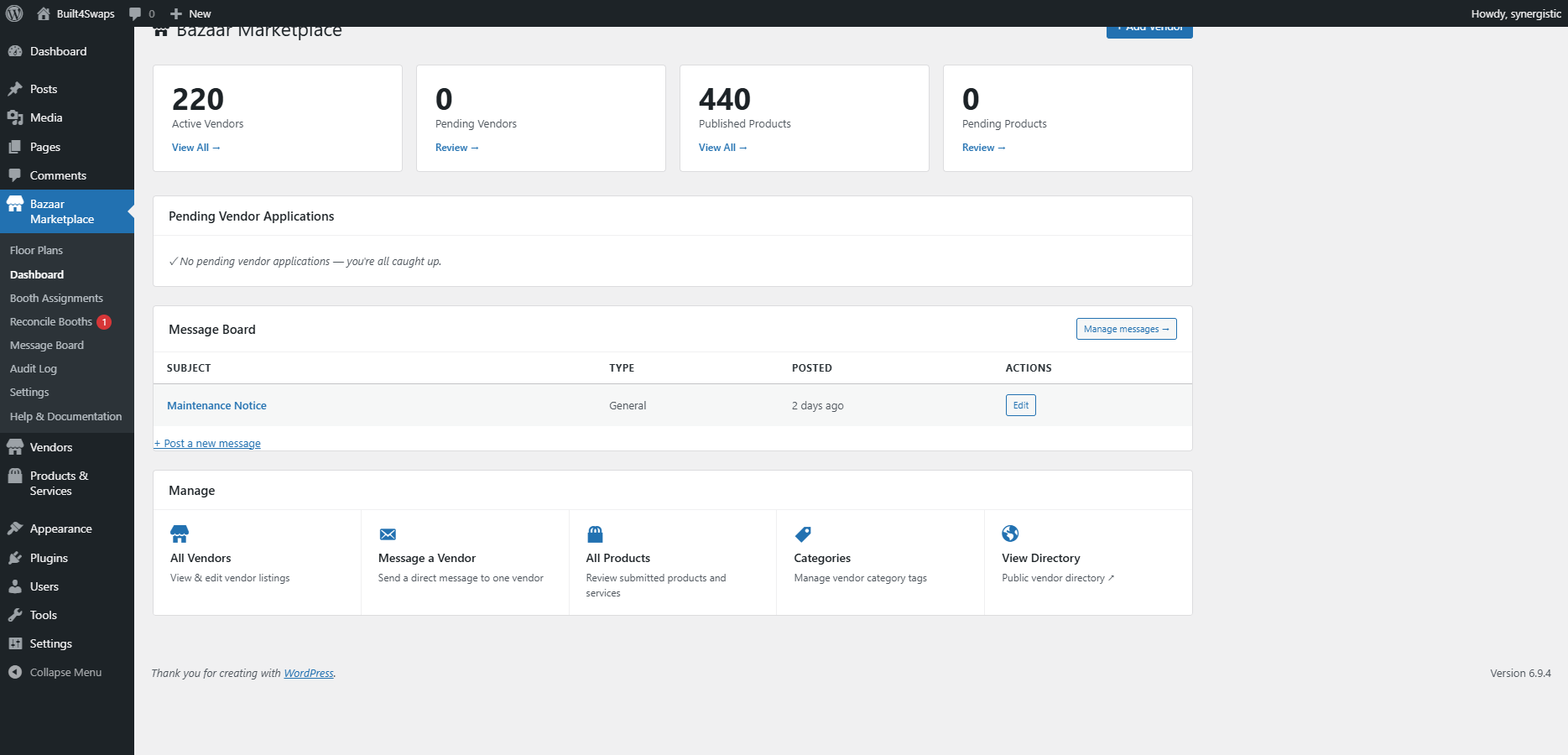
Pending applications, vendor messages, booth assignments, payout-ready exports, an audit log of every change. The control room your manager opens every morning — sitting on top of your existing POS, not replacing it.
What We Heard
“A sprawling Excel spreadsheet” is how Quail’s own marketing describes what every vendor venue runs on before specialized software. The spreadsheet is the universal pre-software baseline.
“Manually calculating payouts, deducting booth rent, and tracking what sold for whom at the end of the month is not just time-consuming — it’s guaranteed to produce errors, leading to angry dealers and lost profits in antique malls.”
Quail marketing · ConnectPOS antique mall POS blog
What We Built
The spreadsheet wrapped around your POS, replaced
Your venue probably already runs Square, Clover, or a payment processor that works. We don’t touch it. What we replace is everything wrapped around it — the booth-assignment spreadsheet, the rent-tracking spreadsheet, the vendor-info spreadsheet, the “where is that PDF” spreadsheet. One operator dashboard, audit-logged. SimpleConsign and Quail both want you to switch payment systems to get this; we don’t.
Book a 30-minute walkthrough →★ What It Does ★
One Screen, Everything Operational
At-a-Glance Hub
Pending applications, unread messages, new products, audit events. Everything that needs attention is one screen, one scroll, no tab juggling.
Booth Assignments
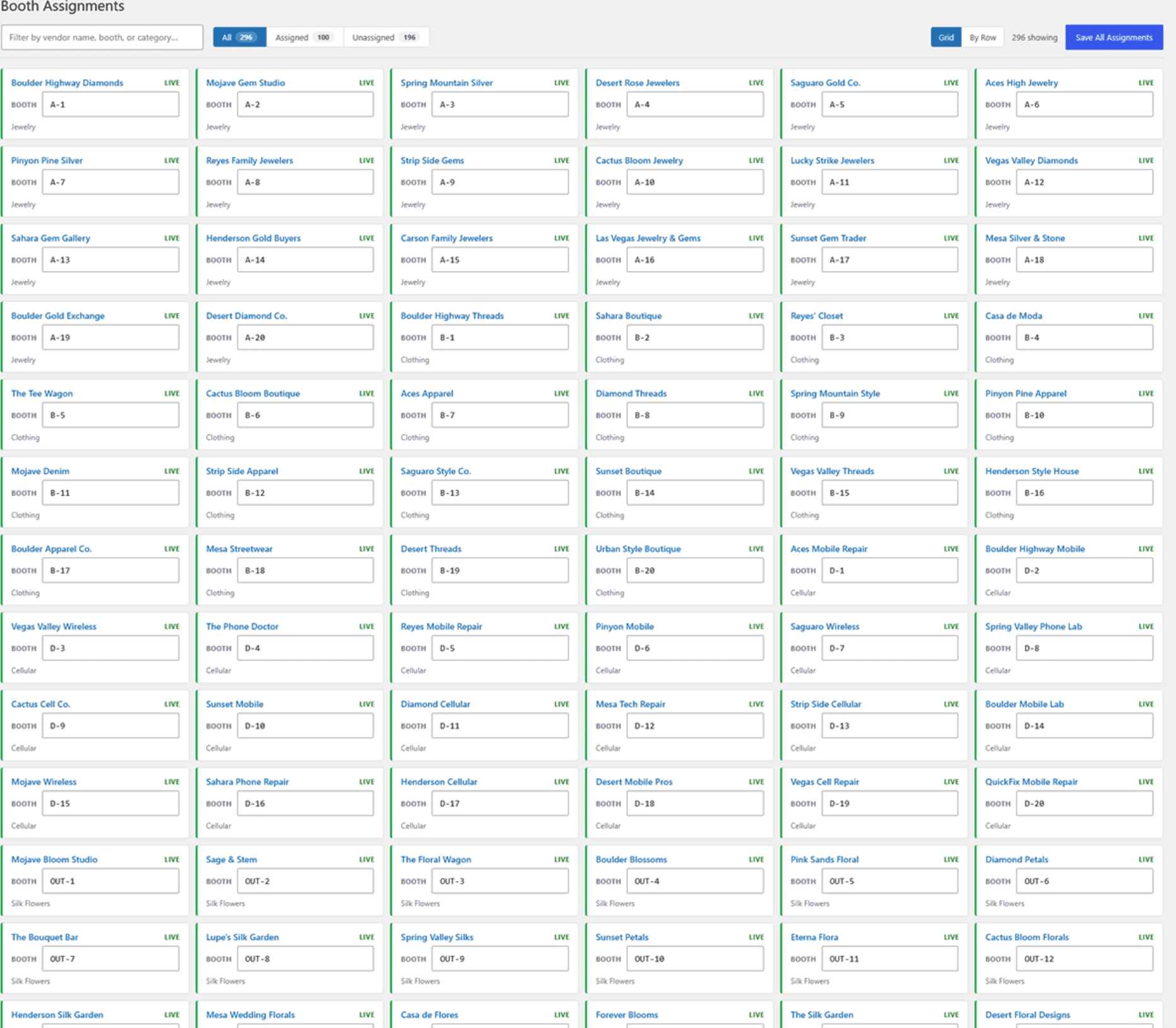
Drag a vendor to a booth, or click-to-assign from a list. The public floor map updates instantly — no manual sync, no spreadsheet relay.
Audit Log
Every change tracked, every decision recorded. When did Booth A-12 change hands? Who approved that vendor? Who edited the vendor list at 11pm? One click, one source of truth — and the export ready for the accountant.
★ Booth Assignments ★
Move a Vendor · The Map Knows · The Audit Log Knows
Drag a vendor tile from one booth to another. The public floor map updates instantly. The audit log records who moved what, when, and why — so when someone asks at the front desk where the lady with the antique buttons went, there’s a single source of truth and a single click to find it.
- Color-coded by category — spot clusters and gaps at a glance
- Open booths marked — new vendors slot straight into vacancies
- Every reassignment logged with timestamp and operator
- The public map, the directory, and search all reflect the change instantly
- Export-ready CSV — for the accountant, the landlord, or your own records
★ Walk the Console ★
See It on Your Venue
The control room sits behind admin login — book a call and we’ll demo it live with your venue’s actual vendor list loaded in. Most operators recognize half the workflows the moment we open it.