
★ Feature ★ Vendor Self-Serve ★
Vendor Portal
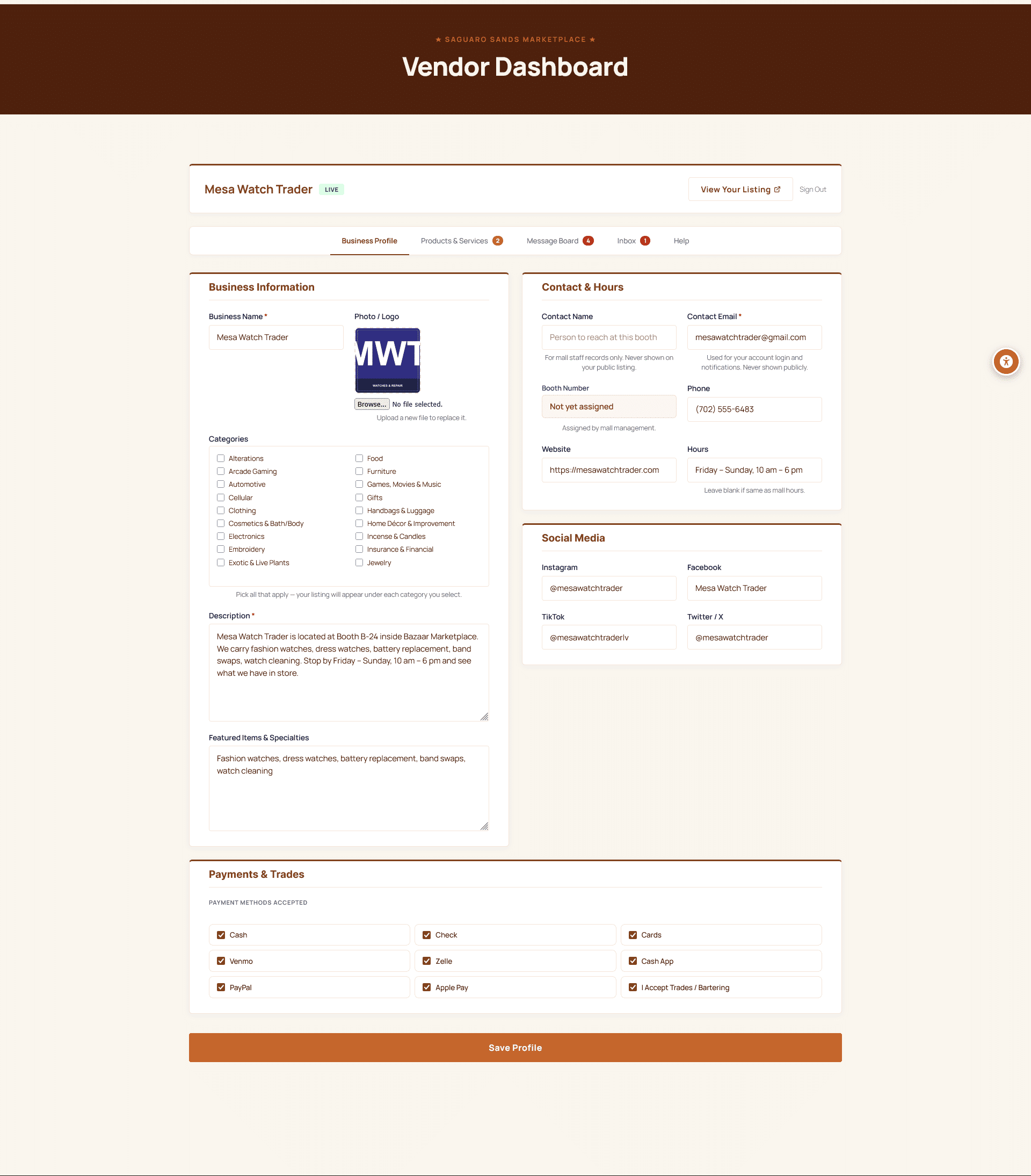
Your vendors update their own listings — photos, products, hours, contact info. They edit, you don’t. The portal works from a phone between sales, not just from a desktop after hours.
What We Heard
“This indoor swap meet is pretty empty with several empty stalls, giving the vibe that you don’t know how long this swap meet will still be around.”
Verbatim shopper review of an indoor swap meet
Yelp. The pain isn’t always actual emptiness — it’s stale listings making a healthy venue look dead.
What We Built
When the vendor leaves, the listing leaves
A vendor portal is only useful if vendors actually use it. Ours is mobile-first and limited to the fields a vendor actually cares about — profile, photos, products, hours. Log in once, update from any device, see it live the moment you save. When a vendor leaves, the public page goes inactive automatically until you re-assign the booth.
Ask us for a sample-vendor login →★ What It Does ★
A Real Backend, in Plain English
Self-Serve Profile
Logo, tagline, description, hours, contact, website, social. Vendors edit from any device — the public page updates instantly. No support tickets, no waiting on the operator to retype a phone number.
Product Catalog
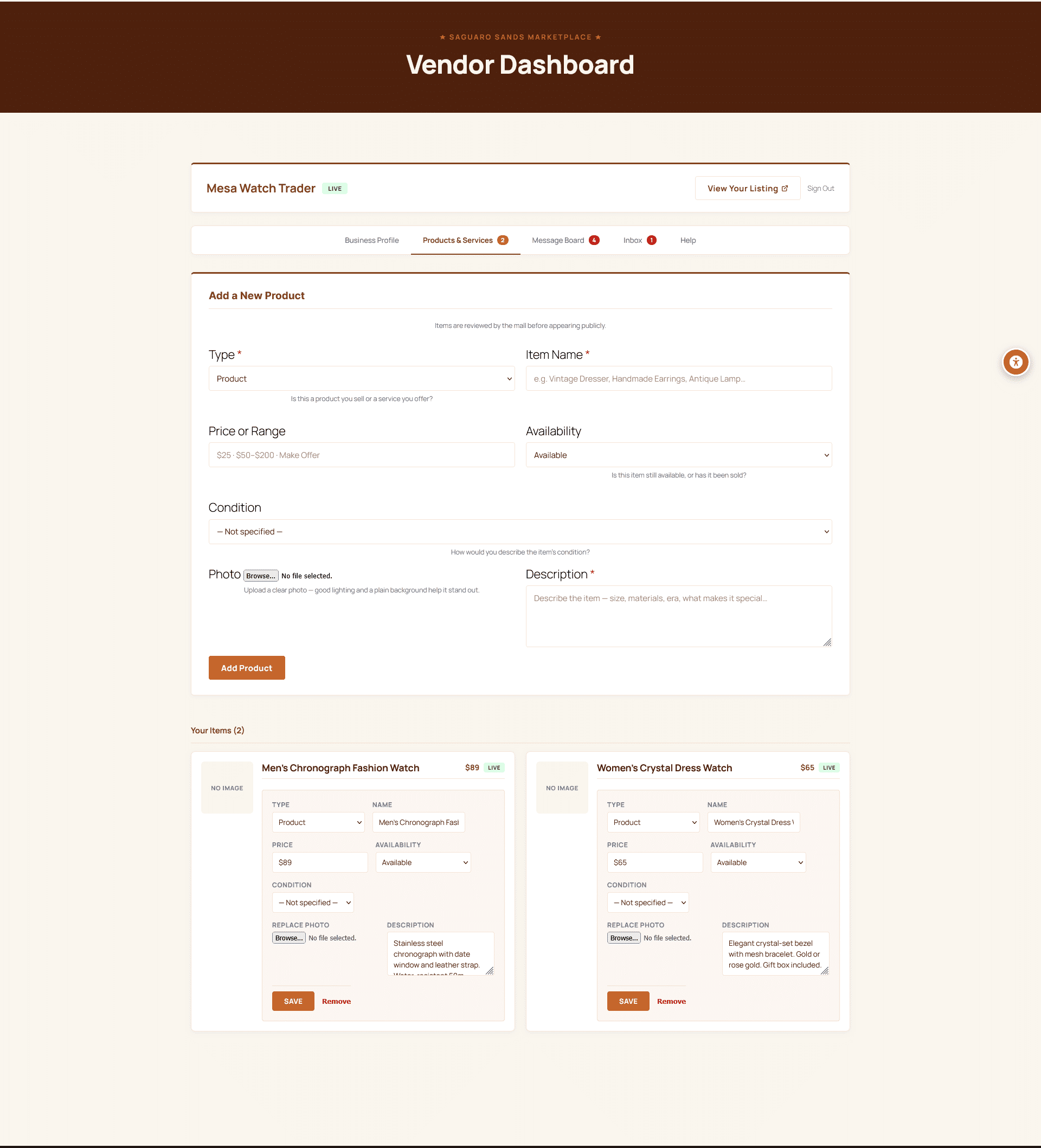
Photos, prices, descriptions. Vendors surface what’s new this week — shoppers see it on the public vendor page and the venue-wide products grid.
Inbox & Notices
Operators send venue-wide notices (gate hours, holiday schedule, new rules) and one-to-one messages. Vendors check the inbox when they’re ready — async, archived, searchable. Replaces the WhatsApp groups, the walkie-talkies, and the 200-person email blast nobody reads.
★ Product Catalog ★
Shoppers See What’s New
Each vendor maintains their own product list. Photos, prices, stock status, descriptions — the same surface that lives on their public page and powers the venue-wide products grid.
- Drag-and-drop reorder — vendors choose what surfaces first
- One-click hide for sold-out or off-season items
- Featured tag pins a single product to the top of their page
- Counts feed the operator dashboard — you see which vendors are active and which are dormant
- Same engine runs the venue-wide products grid — no separate inventory
★ Inbox ★
Shopper Questions, Not Voicemail Roulette
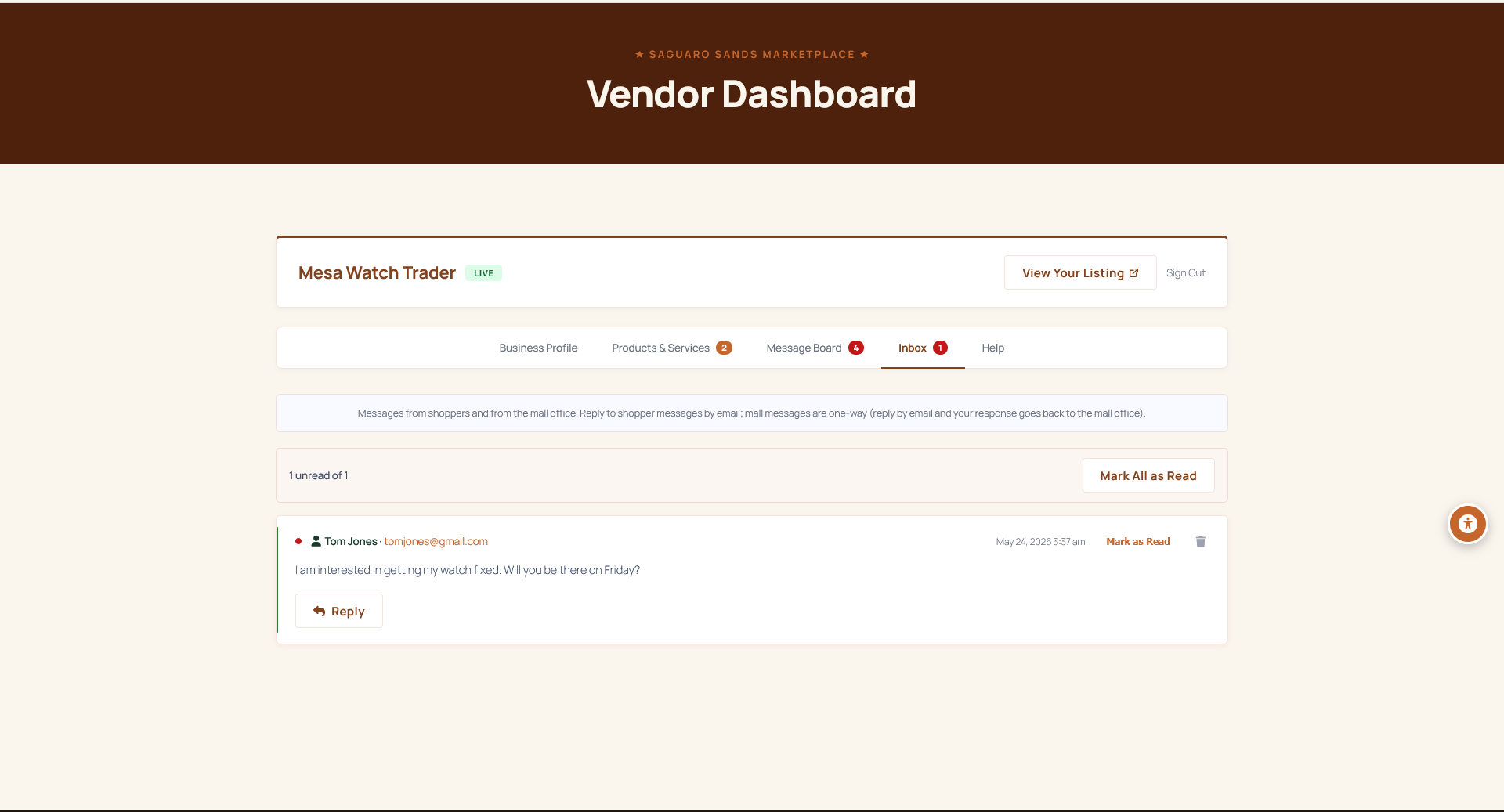
Shoppers click Message This Vendor on the public page — the vendor sees it in their inbox with a one-tap reply. No public phone number to publish, no missed voicemail, no operator forwarding messages by hand.
- Unread badge on every dashboard tab — nothing slips
- Reply by email; the conversation stays threaded in the inbox
- Operator can see message volume per vendor — spot the dormant booths
- Mark-all-read and archive on the busy days
★ Message Board ★
The Venue’s All-Hands — Without the 200-Person Email Blast
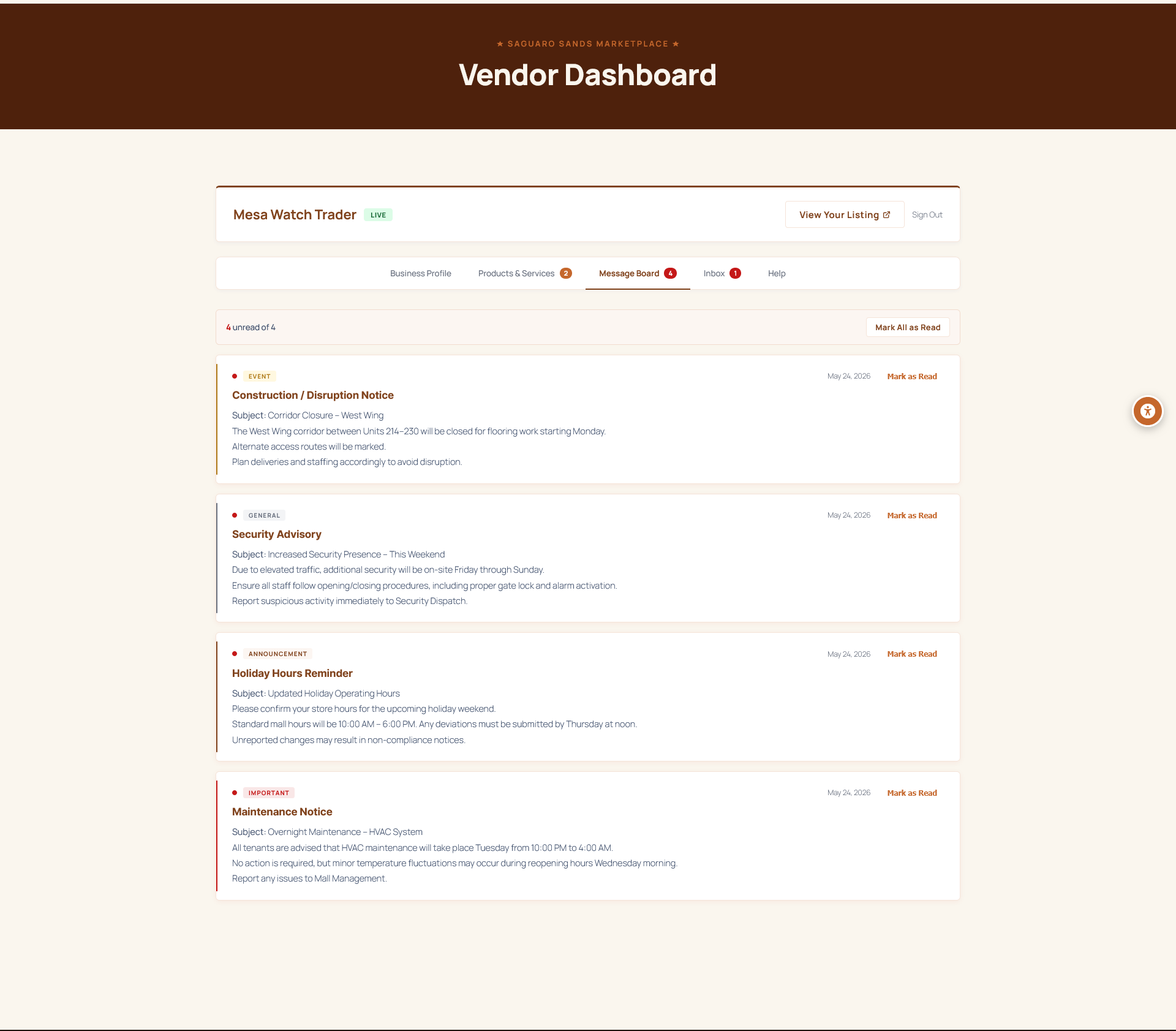
When the gate hours change, when there’s construction in the south corridor, when a tenant rule update goes out — you post once. Every vendor sees it the next time they open the portal. Replaces the WhatsApp group nobody checks and the laminated sign at the office.
- Category tags — Event, Important, Announcement, General
- Per-vendor read receipts so you know what’s landed
- Permanent record — searchable archive instead of disappearing chat history
- Pinned notices stay at the top until you retire them
★ Take a Tour ★
See the Portal in Action
The portal sits behind a login — book a call and we’ll walk you through it with a sample vendor account, or set you up with one in your own venue. Five minutes shows what a year of vendor-listing maintenance currently costs you.